Getting Started with Lesser Forms
This page will help you get started with Lesser Forms. You'll be up and running in a jiffy!
Lesser Forms provides UI changes to content editing screens in Drupal.
Lesser Forms for Drupal
" Beautify content creation by removing unneeded config. "
Introduction
Lesser Forms was brought to life with the idea of simplyfing the UI for editors.
Options in Drupal like Authoring information and URL path settings mean nothing to a content editor (at least not for all).
That's where LF comes in. Simply remove it by checking some options.
Installation
Place the lesser_forms folder under /sites/all/modules/contrib and head over to your Drupal modules page to install it.
You can optionally download/install it through Drush.
Usage
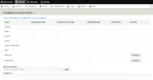
Lesser Forms settings is available under 'Configuration > Content authoring > Lesser forms'
or (admin/config/content/lesser_forms).
- Select the roles you want to activate it for.
- Select the options you want to disable in the UI.
- Save your changes.
Requirements
Both Drupal 7 and 8 versions are maintained and since the 2.0 releases, they now contain the same functionalities.
Maintainers
This module was created by Novitsh
http://www.codephantom.net
Updated less than a minute ago